I do a lot of my thinking away from a keyboard. I sketch ideas, mark up papers, and plan experiments on my reMarkable. It’s quiet, readable outside, and free of notifications. But when I want to build on something I’ve written, I have to put the tablet down, open my laptop, and turn my notes into a prompt.
As agents get better at doing the typing and running the experiments, I’ve started to wonder how much time I need to spend looking at a screen. And while we are well past the moment of needing a laptop to code or run ML experiments, with everything a prompt away on the phone, I think we can go even further in reducing screen time. Keryx which I recently released goes into this direction: it is a voice agent I can call from my watch or phone for arbitrary tasks (including running ML experiments on our compute cluster), and allows my coding agents to call me whenever they have questions.
Because ideas often take shape as sketches on a page or whiteboard, I wanted an agent that could see that context and let me continue the conversation on paper. With this project, Inkwell, I can give an agent a job from my reMarkable notebook, as well as read its response there.
Writing to an agent by hand
I can write @claude next to a request, anywhere on a page, and turn the page. Inkwell reads the new handwriting and gets to work. When the answer is ready and I’ve closed the notebook, it adds a page right after my request. That might be text I can select and annotate, an image, or a short summary with a link to a pull request.
I can add a few handwritten tags to steer it. @model and @effort set the model and reasoning effort; @repo names a GitHub repository, and @dir a folder on my computer. With @plan, the agent writes out its steps before starting. I can tick approve or revise, or write corrections in the margin, and it continues from there.
The agent runs on my computer, where it can run code, use the GPU, render figures, and open pull requests. It can also read other pages in the notebook if my request points back to an earlier sketch.
The reMarkable has no plugin system, and I didn’t want to depend on a change to its interface that might break with the next update. The version I use runs entirely on a separate computer. The tablet only needs developer mode for SSH access; cloud sync, screen sharing, and software updates still work.
That computer stays on at home and checks for new strokes in my notebooks. Inkwell uses Claude’s vision to read them, routes the request to either a quick answer or a coding agent, and writes the result back as a native page.
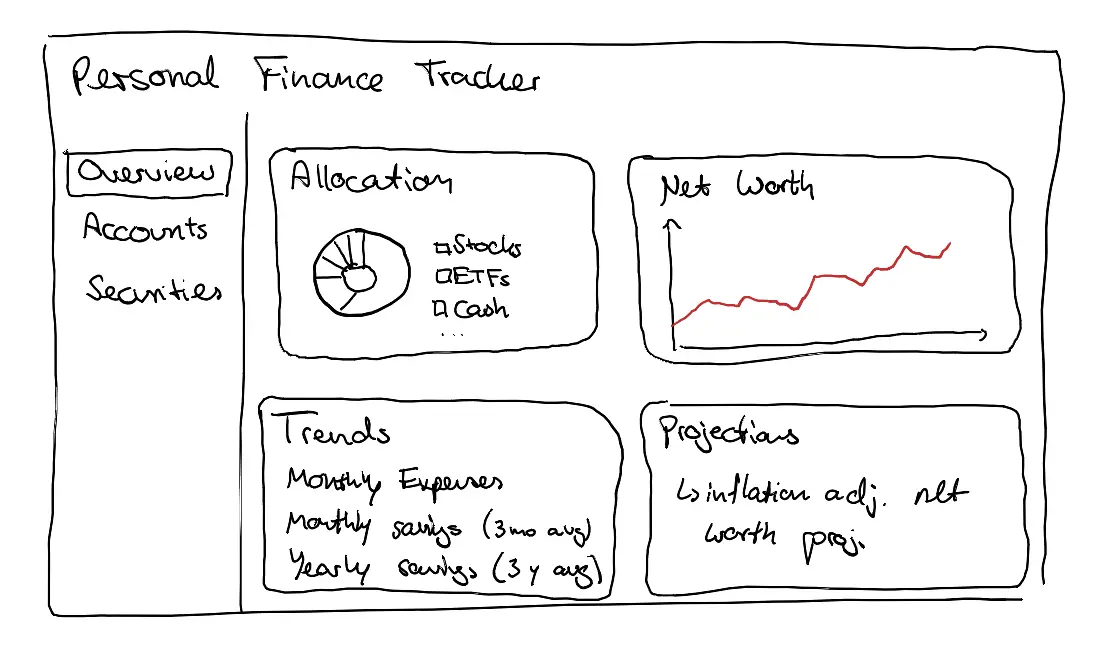
I tried the whole workflow with something I wanted to build: a personal finance tracker. I sketched a main view with four panels—asset allocation, net worth, spending and savings, and inflation-adjusted projections—plus separate views for accounts and securities.
On the next page, I added a few requirements. I wanted editable assumptions and support for accounts in different currencies and countries; mock data was fine. Then I wrote a line asking the agent to build it.
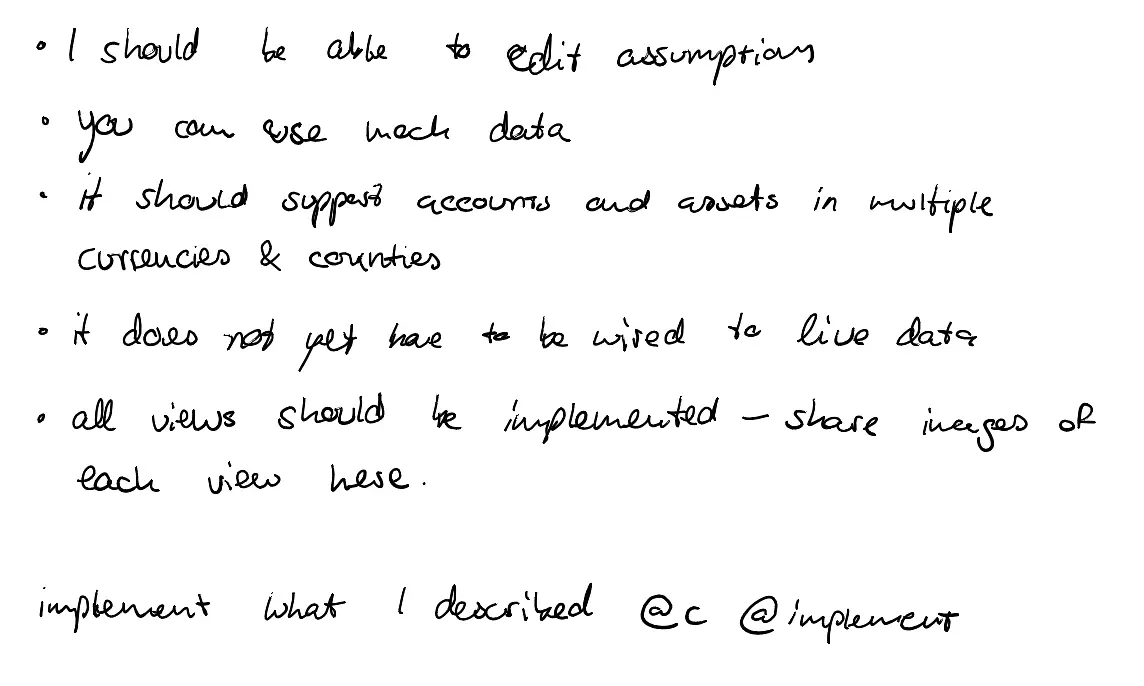
@c @implement.Interacting with the agent
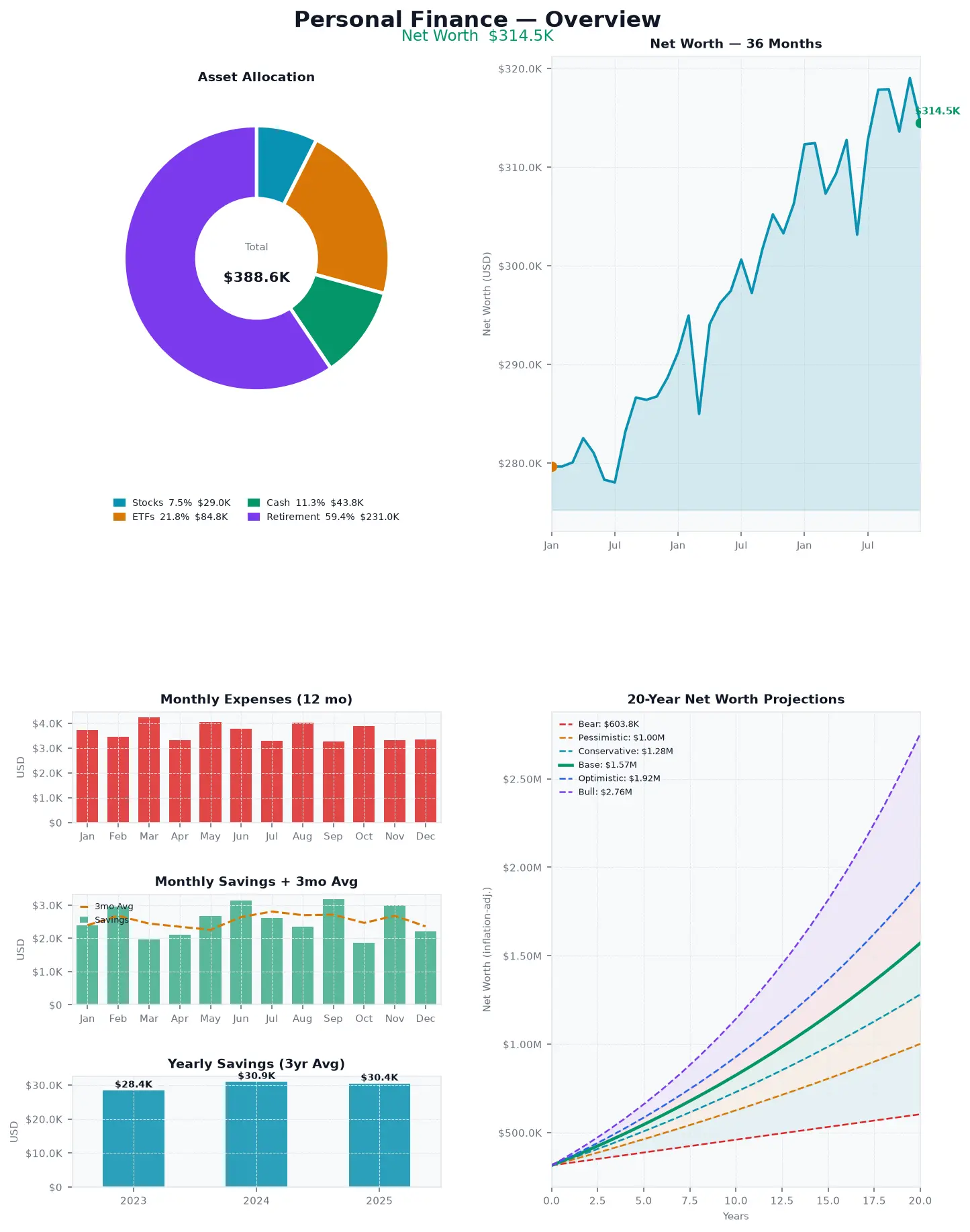
The agent read my sketch, wrote a small Python package with mock data in several currencies, and rendered the views as chart images in my notebook. It had followed my request—I had even asked it to share images of each view—but I’d left out the important part: I wanted an interactive dashboard, not a set of static plots.
I wrote a clarification on the next page and tried again, this time with a stronger model.
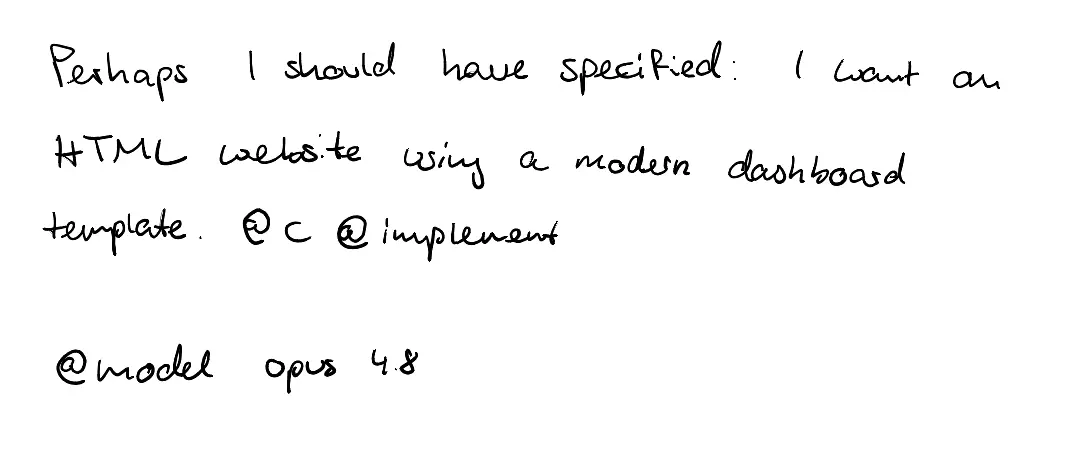
This time I got the web dashboard I’d had in mind. It kept the layout from my sketch, added a base-currency switcher, and let me change the projection assumptions and see the results update.
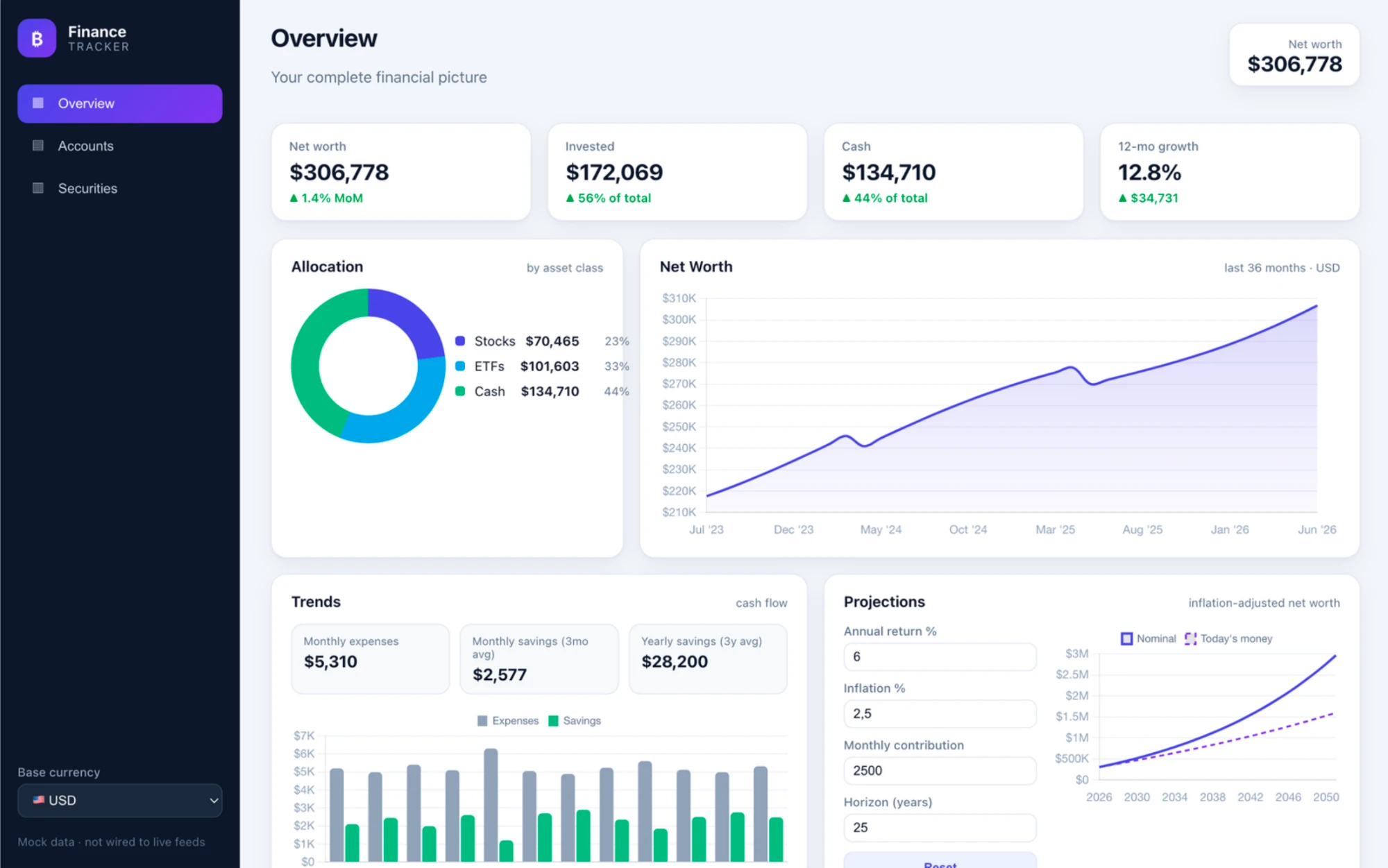
The correction was just another note in the notebook. I never had to open my laptop; one sentence on paper was enough.
Where this is going
The full loop works on my Paper Pro today. I can write a request and come back to an answer or a pull request. Eventually I’d like to start an experiment from the notebook, go for a walk, and find the results—and any questions from the agent—waiting there when I return.
Next, I want a notebook for managing agents: a page showing what’s running, with a separate page for each question that needs my input. I could tick a box to answer and carry on. Together with Keryx on the phone, that would let me do more of my work away from a screen.
Why it isn’t released yet
While it works, the reMarkable has limited developer tooling, and programmatically updating notebook content is not very clean - adding an answer to the notebook still feels rough. The reMarkable keeps open notebooks in memory. It saves strokes to disk when I turn a page or close the notebook, which lets Inkwell see a new request. But it doesn’t notice a page that Inkwell adds to those files. If the notebook is still open, the tablet may even overwrite that new page when it saves its older copy.
For now, the reliable way to make the tablet see the new page is to restart its interface. It looks and feels like a reboot, and unsaved ink could be lost. That’s why Inkwell waits until I’m back in the library and the tablet has been idle for a while, then backs up the notebook before inserting the answer. It works, but the answer should be able to appear without a restart.
I have a prototype that reloads just one notebook through a small extension to the tablet’s interface. It works on my device, but it relies on reverse-engineered internals that could change with any update. I also don’t yet know whether pages added directly to the tablet’s storage always sync cleanly to the reMarkable cloud. Uploading an answer through the tablet’s web interface would avoid the restart and sync properly, but it would create a separate document rather than add a page to the notebook I’m using.
Setup is another hurdle. Inkwell needs developer mode for SSH access, and enabling it factory-resets the tablet. That’s a lot to ask of someone who just wants to try this.
For now, I’m using Inkwell myself. I’d like to release it when I can write back to an open notebook without restarting the tablet.